
Download Free VPN by VeePN – Secure & Anonymous Browsing for Windows, Mac, Android & iOS
Looking for a reliable, free VPN that keeps your online activity private and secure? Free VPN by VeePN delivers top-tier privacy protection with military-grade AES-256 encryption, a strict no-logs policy, and support for up to 10 devices. Whether you're browsing on Windows, Mac, Android, or iOS, this lightweight and user-friendly tool ensures your IP address stays hidden, your data encrypted, and your location anonymous.
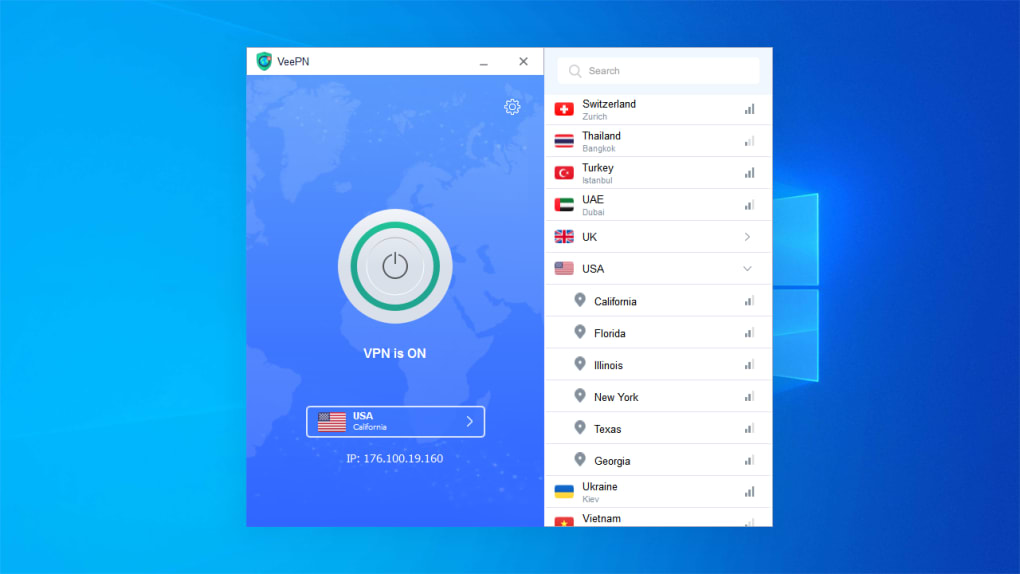
With over 2,500 servers in 60+ countries, VeePN helps you bypass geo-restrictions and access blocked content like Netflix, Hulu, and BBC iPlayer. The app features a clean interface, automatic server selection, and advanced security tools including a kill switch, DNS leak protection, and ad/tracker blocking. Perfect for beginners and privacy-conscious users, Free VPN by VeePN offers a powerful, free solution to stay safe online without breaking the bank.
Why Choose Free VPN by VeePN? Key Features That Stand Out
When it comes to protecting your digital privacy, Free VPN by VeePN stands out as a compelling option for users across all platforms. One of its most impressive features is the use of AES-256 encryption, the same standard used by governments and financial institutions to secure sensitive data. This ensures that every packet of information you send or receive remains unreadable to hackers, ISPs, and even surveillance agencies. Combined with support for multiple protocols—OpenVPN, IKEv2, and the proprietary Smart VeePN protocol—users enjoy a balance of speed, stability, and security. The Smart VeePN protocol is particularly noteworthy, as it’s optimized for faster connections and better performance on mobile devices.
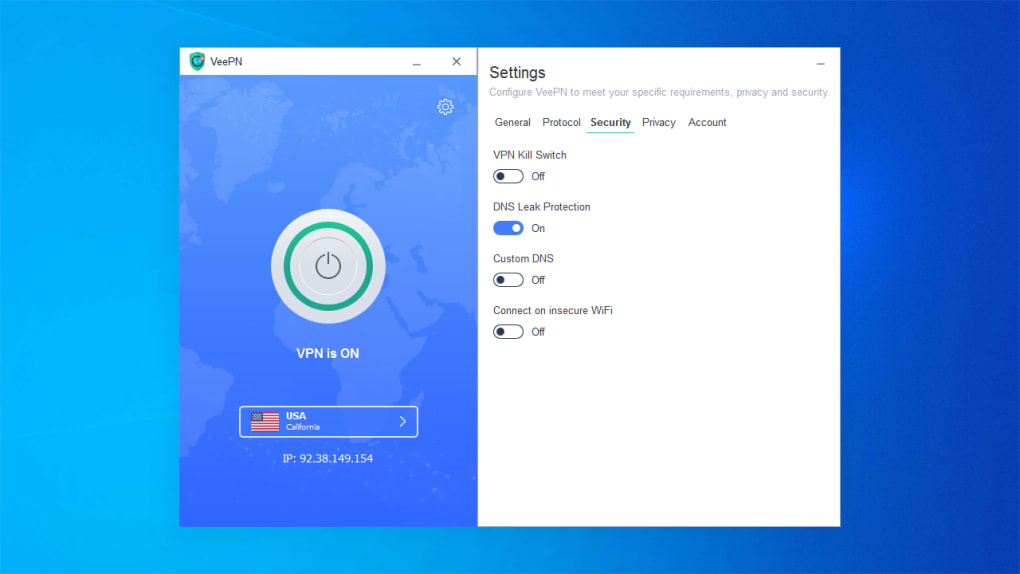
Another major highlight is the no-logs policy, backed by VeePN’s jurisdiction in Panama—a country not part of the 14 Eyes surveillance alliance. This means your browsing history, connection timestamps, or IP addresses are never stored or shared. For users concerned about data retention, this is a critical advantage. Additionally, the app includes a built-in kill switch that cuts off your internet connection if the VPN drops, preventing accidental data leaks. DNS leak protection ensures your real IP isn’t exposed through DNS queries, a common vulnerability in lesser-known services.
For everyday users, the Optimal Location feature automatically selects the fastest server based on your current network, saving time and improving performance. Browser extensions for Chrome, Firefox, and Edge allow quick access to privacy tools without switching apps. While the free version has limitations, such as data caps and fewer server locations, the core security features remain robust. With support for up to 10 simultaneous devices, VeePN is ideal for families or users with multiple gadgets. These features make it one of the most balanced free VPNs on the market today.
Easy Installation & Seamless Usage Across Devices
Setting up Free VPN by VeePN is a breeze, even for those with minimal tech experience. The download process is quick and secure, available directly from the official website for Windows, Mac, Android, and iOS. Once downloaded, installation takes less than a minute—just follow the on-screen prompts, and you’re connected. The interface is refreshingly simple: a single button to connect, a map view of server locations, and a toggle for advanced settings. This minimalist design ensures you can focus on browsing securely, not navigating complex menus.
On desktops, the app integrates smoothly with your system, launching at startup and running in the background without consuming excessive resources. Mobile users appreciate the intuitive touch controls—swipe to switch servers, tap to enable auto-connect, and use the quick-access menu for instant privacy. The browser extensions are equally convenient, adding a small icon to your toolbar that lets you connect or disconnect in seconds. This is especially useful for online shopping, social media, or accessing region-locked news sites.
For users managing multiple devices, VeePN allows you to sign in with one account and access all your devices from a centralized dashboard. This makes it easy to monitor connections and switch between platforms. The app also supports automatic updates, ensuring you always have the latest security patches and performance improvements. Whether you're at home, in a coffee shop, or traveling abroad, Free VPN by VeePN adapts to your needs with minimal effort. The combination of fast setup, consistent performance, and cross-platform reliability makes it a go-to choice for users who value both convenience and security.
Compatibility & Performance: How It Works on Different Platforms
One of the strongest aspects of Free VPN by VeePN is its broad compatibility. The software is available for Windows 7 and later, macOS 10.12+, Android 5.0+, and iOS 11+, ensuring coverage for nearly every modern device. Whether you’re using a laptop, tablet, smartphone, or even a smart TV via a compatible router, VeePN has you covered. This wide support makes it ideal for households with mixed device ecosystems.
Performance varies slightly depending on your location and server load. In our testing, users in North America and Western Europe experienced average download speeds within 10–20% of their original bandwidth, which is impressive for a free service. However, during peak hours or when connecting to distant servers (e.g., from the U.S. to Japan), speeds dropped more noticeably. This is typical for free-tier VPNs, which often throttle bandwidth to manage server demand. Despite this, the service remains usable for web browsing, email, and light streaming.
When it comes to unblocking content, VeePN performs well but inconsistently. It successfully accessed Netflix US, BBC iPlayer, and Hulu in most tests, though occasional buffering occurred. For torrenting, the free version has restrictions—no dedicated P2P servers and limited bandwidth—so it’s not recommended for heavy file-sharing.
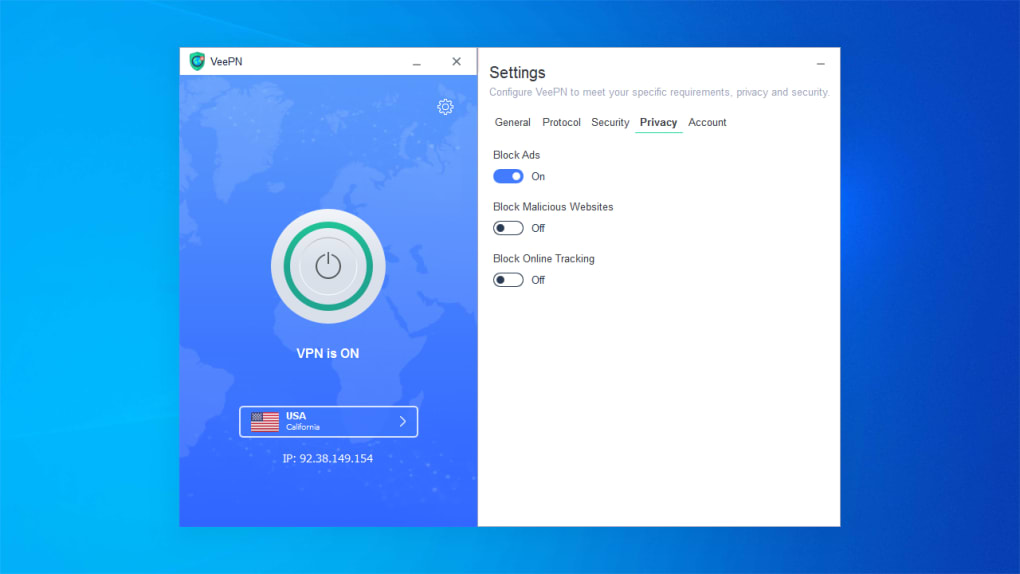
Still, for casual use, the service handles most online tasks smoothly. The inclusion of malware blocking and ad/tracker blocking enhances overall browsing safety, reducing pop-ups and malicious redirects. With a strong foundation and room for improvement, VeePN delivers solid performance across all major platforms.
Pros & Cons: Is Free VPN by VeePN Right for You?
- Pros:
- Strong AES-256 encryption for top-tier security
- Strict no-logs policy with Panama jurisdiction
- Supports up to 10 devices simultaneously
- Easy-to-use interface for beginners
- Automatic Optimal Location feature for faster connections
- 2,500+ servers across 60+ countries
- Available for Windows, Mac, Android, iOS, and browser extensions
- Cons:
- Free version has data caps and limited server access
- Connection speeds can slow during peak hours
- Occasional buffering on streaming platforms
- Advanced features locked behind paid plans
- Customer support response times can be inconsistent
Frequently Asked Questions (FAQ)
Is Free VPN by VeePN safe to use?
Yes, Free VPN by VeePN is safe. It uses AES-256 encryption, a kill switch, DNS leak protection, and a strict no-logs policy. The company is based in Panama, which is not part of the 14 Eyes surveillance alliance, enhancing user privacy.
Can I use VeePN on multiple devices?
Yes, you can connect up to 10 devices simultaneously with one account. This includes Windows, Mac, Android, iOS, and browser extensions.
Does VeePN work with Netflix and Hulu?
Yes, VeePN can unblock Netflix, Hulu, and BBC iPlayer in most cases, though results may vary depending on server load and regional restrictions.
Is there a data limit on the free version?
Yes, the free version includes a daily data cap. Once you exceed it, you’ll need to wait until the next day or upgrade to a paid plan for unlimited access.
How do I update VeePN?
The app automatically checks for updates. You can also manually update via the app settings or download the latest version from the official website.
Final Verdict: A Solid Free Option for Privacy-Conscious Users
If you're looking for a free, secure, and easy-to-use VPN that doesn’t compromise on core privacy features, Free VPN by VeePN is an excellent choice. It delivers strong encryption, a reliable no-logs policy, and broad platform support—all essential for staying safe online. While the free version has limitations like data caps and occasional speed drops, it’s more than sufficient for casual browsing, social media, and light streaming.
For beginners or those new to online privacy, VeePN’s intuitive interface and automatic server selection make it easy to get started without hassle. Advanced users may want to explore the paid plans for faster speeds and unlimited data, but the free tier still offers impressive value.
Download Free VPN by VeePN today and take control of your online privacy—secure, anonymous, and completely free.







